
Manage requests and replies
Send reviewed requests, track who has the ball, and process inbound replies without skipping human review.
Send a request
When a requested item or document needs information from someone else, use the available Request or Follow up action.
Before sending, review the request preview carefully:
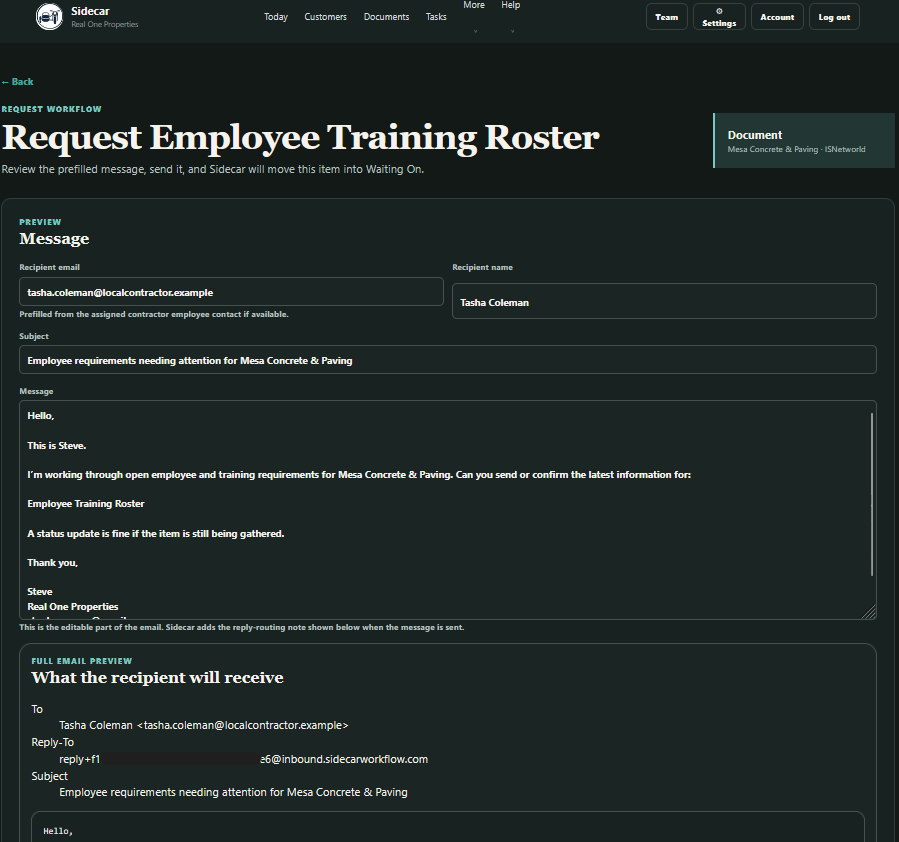
Review the recipient and message before sending.
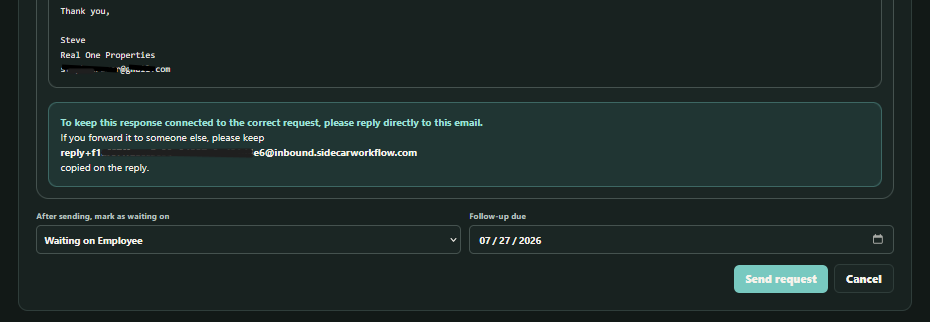
The waiting party and follow-up date determine how Sidecar tracks the request after it is sent.
- Confirm the recipient.
- Confirm the subject and message.
- Choose who the work will be waiting on.
- Set a realistic follow-up date.
- Make sure the request describes the exact item needed.
- Send only after the preview matches the real workflow.
After a successful send, Sidecar records the request and updates the associated waiting and follow-up state. The request should no longer look like an unsent initial request while your team is waiting for a response.
In the public demo, outbound messages are simulated and recorded safely. Customer workspaces use the configured email provider.
Avoid immediate duplicate requests
If an item is already waiting and its follow-up date is still in the future, do not send another initial request merely because the button is nearby and emotionally available.
The waiting state, request history, and follow-up date should tell the next user what has already happened and when the item should be revisited.
Work from Waiting On
Open More > Waiting On when you need to answer, “Who has the ball?”
The page brings together waiting documents, requested items, and tasks. Each row can show the customer, platform, waiting party, waiting-since date, follow-up date, and note explaining the delay.
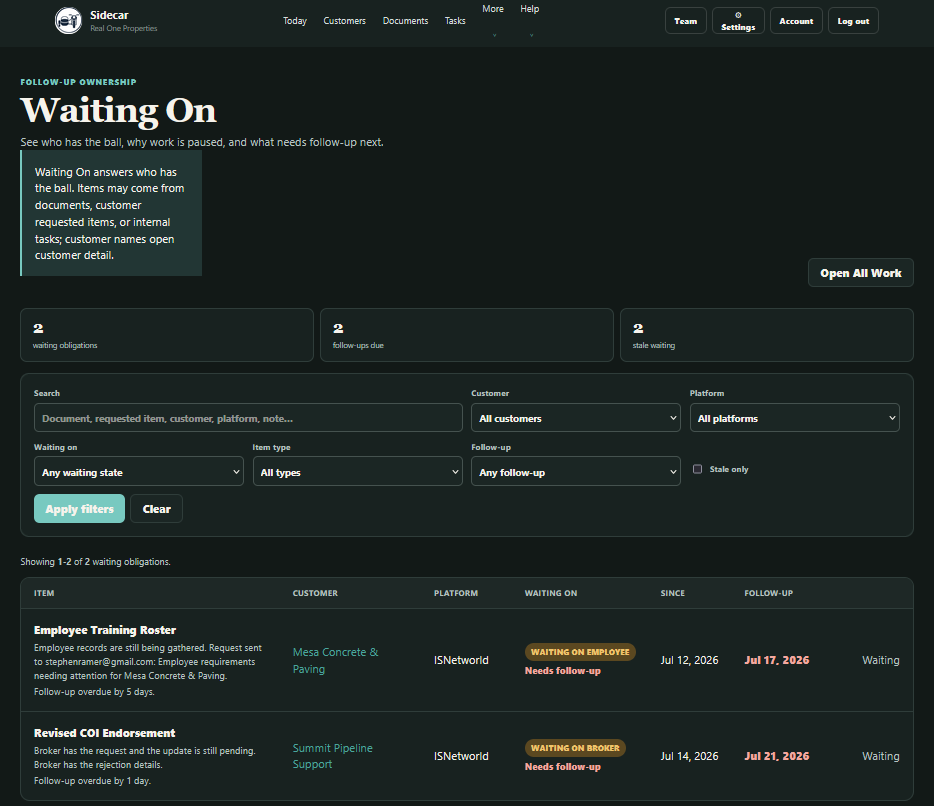 Waiting On shows who currently has the ball and when your team should review the item again.
Use the filters to narrow the list by customer, platform, waiting party, item type, or follow-up timing.
A future follow-up date means the item can usually remain where it is unless new information arrives. A due or stale follow-up means your team should review the item and decide whether to send a follow-up, update the date, or change the workflow state.
Sending a follow-up does not mean the work is complete. The item remains waiting until the underlying response, document, review, or decision arrives.
Review inbound replies before changing the workflow
Replies sent to a Sidecar request can enter Email Intake for review.
Inbound email is deliberately review-first. Sidecar may suggest a likely customer, category, requested item, task, or document relationship, but it does not automatically rewrite customer records just because a message arrived.
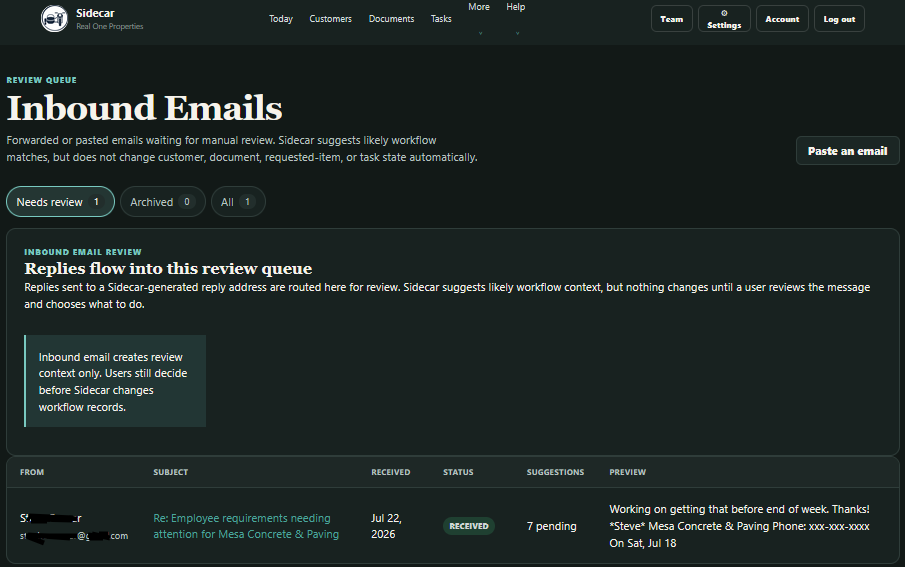 Review the message, attachments, and suggested relationships before applying any workflow change.
When reviewing an inbound email:
- Confirm the sender and subject.
- Read the new message rather than relying only on quoted history.
- Inspect attachments before opening or using them.
- Confirm the suggested customer and workflow relationship.
- Correct the suggestion when needed.
- Decide whether the reply should update a document, requested item, task, or activity record.
- Apply the workflow change only after the context is clear.
This keeps email useful without allowing an attachment named final_FINAL_revised2.pdf to become the undisputed ruler of the database.